PingPongDart
.
PC Game between
PingPong and Darts with
navigation for 3D hits
.
Free Demo:
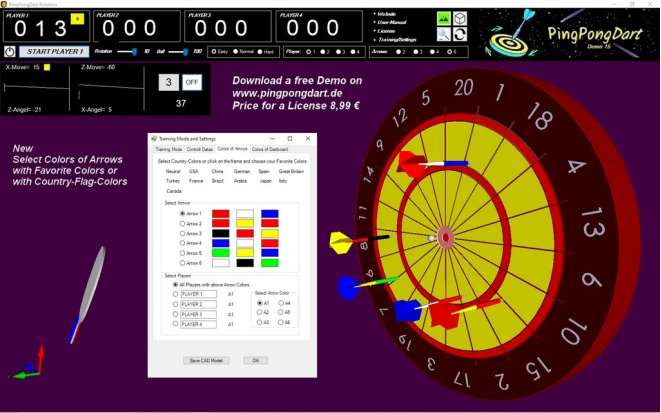
PingPongDart
combines PingPong and Darts into a 3D PC game: you use a paddle to hit
a ball toward a rotating dartboard. Read on to learn more about the
game modes, controls, and the demo version.
PingPongDart brings together two pub games you wouldn’t
typically
expect to find combined: table tennis and darts. In this 3D simulation,
you use a table tennis paddle to strike a ball, aiming to land it in a
specific section of a rotating dartboard. Designed for Windows 11, this
PC game is suitable for the whole family - there’s no gunfire
or
explosions here; success depends entirely on physics and a steady hand.
A free demo version is available on the official website. What makes
the game particularly engaging is that every shot is unique: the target
area, the speed of the ball, and the rotation of the dartboard change
with every round - ensuring that no two games are ever the
same.
.
How
PingPongDart Works
The concept of the game becomes immediately clear once you see it in
action. You have a table tennis paddle, a ball, and a standard
dartboard that rotates on its own axis. Your goal is to hit the ball
back so that it lands in the target area specified by the game.
Unlike traditional 2D dart games, this takes place in a 3D environment.
You can rotate your view of the dartboard, zoom in or out, and observe
your shot from various angles. This is very helpful for understanding,
for instance, why a ball might have landed in an adjacent section.
A
rotating dartboard and a ball flying toward you
The ball always travels from the center of the dartboard toward your
paddle - its direction and speed are generated randomly. The target
area (a number from 1 to 20) also changes with every round, meaning you
cannot simply memorize a shot and repeat it.
Furthermore, the dartboard rotates at varying speeds. The faster the
ball moves and the faster the board spins, the more challenging it
becomes to hit the target - and that is precisely where the appeal
lies: while a steady, successful hit is satisfying, a fast, precisely
placed shot offers a real sense of achievement.
The
decisive moment: ON, HIT, and the timer
When you hover your mouse over the playing area, an "ON" button
appears. Clicking it activates the dartboard and the timer, and the
word "HIT" is displayed. As soon as "HIT" lights up in yellow, you must
click - this ensures the ball is struck at the exact right moment.
The timer determines the optimal moment to strike by calculating the
ball's flight time in relation to the rotation speed of the dartboard.
A well-conceived detail - almost an engineering feat - that
ensures fair play: the challenge lies in positioning the paddle
correctly, not in guessing the right moment to launch the shot.
.
Controls,
Game Modes, and Difficulty Levels
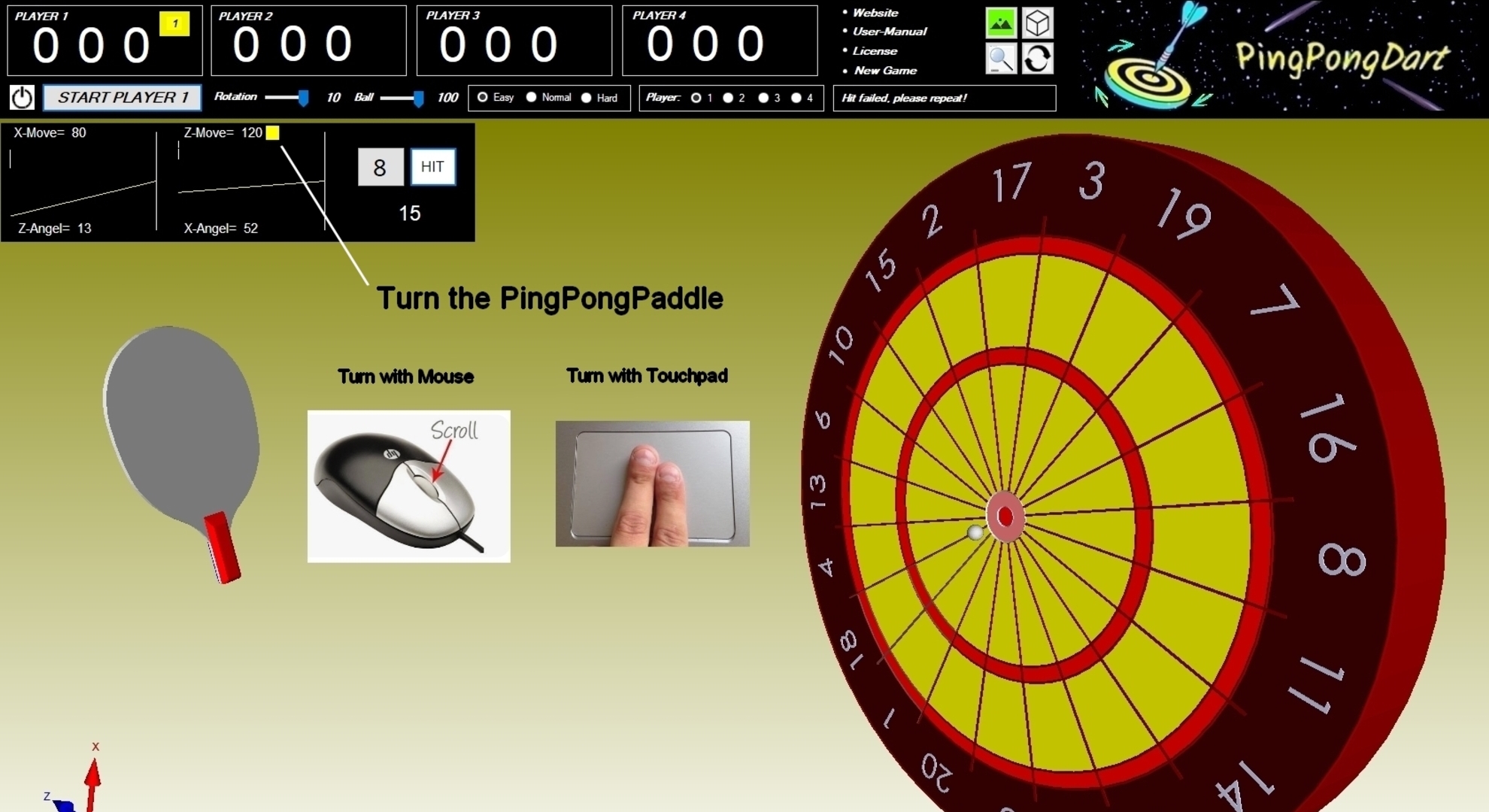
The game is played exclusively using the mouse - no complex key
combinations required. It is easy for newcomers to grasp, making it
particularly popular among teenagers - the very target audience for
which it was designed.
Before starting a game, you can set the difficulty level, the number of
players, and the number of darts per player. You can also customize the
background (a solid color or a gradient) and adjust the zoom level of
the dartboard. Returning to the main view is possible at any time. A
handy feature: each player can choose the color of their own darts -
perhaps their favorite color or the colors of a national flag. This
makes it much easier to keep track of which dart belongs to whom during
multiplayer matches.
Controlling
the Dart with the Mouse
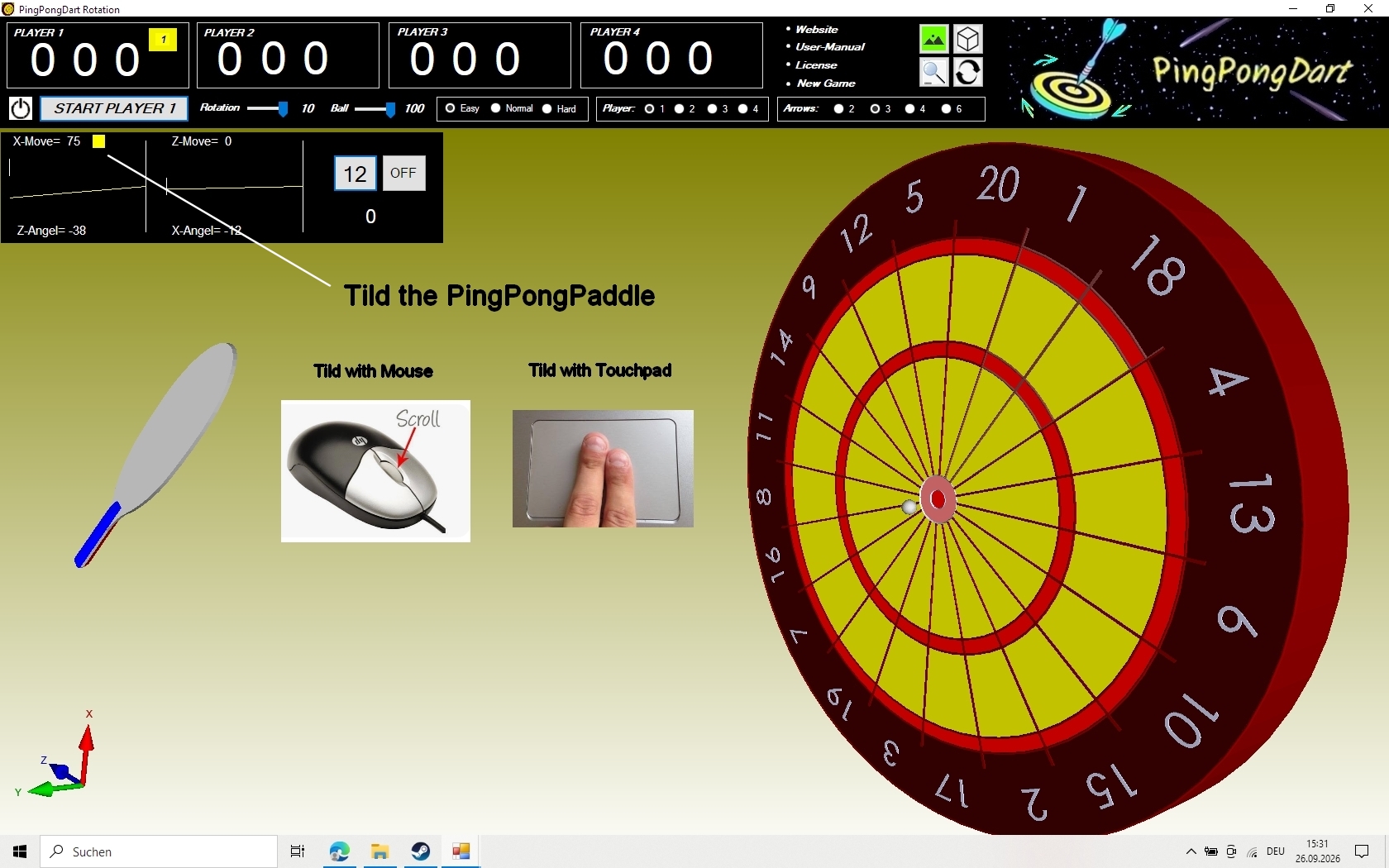
Moving the mouse allows you to shift the dart up and down. You can also
tilt and rotate it using the mouse buttons - an essential
function
for hitting the triple and double segments, which are the most
challenging areas on the dartboard.
Additionally, there is a navigation function for precise positioning:
hold down the left mouse button while moving the mouse; clicking again
toggles between the XY and XZ planes. Mastering this plane-switching
mechanic is what separates a random throw from a deliberate, calculated
one - much like in various skill-based mini-games.
Difficulty
Levels: Easy, Normal, and Hard
In "Easy" mode, you can manually adjust the rotation speed of the
dartboard (from -10 to 10) as well as the speed of the dart itself
(from 40 to 100). This mode is ideal for learning the ropes or for
younger players. In addition, the timer helps ensure that the throw is
executed in time.
In "Normal" mode, the speeds are determined by a random number
generator. In "Hard" mode, the process is similar, but the word "HIT"
no longer lights up in yellow. Here, it’s all down to your
reflexes - the perfect mode for challenging someone who fancies
themselves particularly skillful.
.
Family Fun,
Requirements, and Demo
*PingPongDart* is designed for playing together in front of the same
screen. It is a physics-based, non-violent game - perfect for
solo
play or for gatherings with family and friends.
It is also optimized for play on a television. You can connect your PC
via HDMI and use a Bluetooth keyboard with a built-in touchpad instead
of a mouse, allowing for comfortable gameplay right from your sofa -
ideal if you enjoy local, turn-based duels.
One
to Four Players and Up to Six Projectiles
Between one and four players can compete against each other. Depending
on the settings chosen at the start, each participant is allotted
between two and six projectiles. A flashing yellow indicator shows
whose turn it is and how many throws have already been made, ensuring
no one is skipped.
At the end, a congratulatory window appears, displaying the winner and
the final score. With four players and a limited number of darts, every
throw counts - the kind of fast-paced match that often ends
with
the question: "One more round?"
Requirements,
TV Play, and Free Demo
You will need Windows 11 and a DirectX 11-compatible graphics card
(DirectX 11 can be installed alongside the game if needed). The game is
designed for a resolution of 1920 x 1080 pixels with text scaling set
to 100%.
The free demo can be downloaded from the official website, where you
can also purchase a license for €8.99, which is activated via
a
code (one code per PC). A 30% reseller discount is available for
retailers or distributors, bringing the license price down to
€6.30. Trying out the demo is the best way to find out whether
this mix captivates you.
Personal
Assessment
PingPongDart is one of those ideas that brings a smile to your face:
table tennis meets darts - in 3D, featuring realistic physics,
randomized targets, and a constantly rotating dartboard. I particularly
like the well-thought-out mouse-based paddle controls and the fair time
limits. If you enjoy skill-based games that you can play together with
family or friends on a single screen, then this is perfect for you.
The game is available for Windows 11 PCs; a free demo can be found on
the official website. Are you brave enough to take on the "Hard"
difficulty level? Let me know in the comments what your best shot was
and what other game modes you’d like to see!
Frequently
Asked Questions
What
is PingPongDart?
It is a 3D PC game that combines table tennis and darts: you use a
paddle to hit a ball, aiming to land it in a specific section on a
rotating dartboard.
How
many people can play PingPongDart?
Between one and four players can compete against each other, with each
player having two to six "darts" at their disposal.
What
difficulty levels are available?
There are three levels: "Easy" (with adjustable speeds), "Normal" (with
randomized speeds), and "Hard" (where the "HIT" button no longer lights
up yellow).
How
is PingPongDart controlled?
Using the mouse: moving the mouse shifts the paddle up and down, while
the mouse buttons allow you to tilt and rotate it. If playing on a TV,
you can also use a Bluetooth keyboard with a touchpad.
.
Is
there a demo for PingPongDart?
Yes, a free demo is available for download on the official website. The
full version costs €8.99.
What
are the system requirements for PingPongDart?
Windows 11 and a DirectX 11-compatible graphics card. The game is
designed for a resolution of 1920 x 1080.